
You can integrate Flagsmith with Mixpanel. The integration automatically sends the flag states for identified users into Mixpanel for cohort analysis, A/B testing and more. The process is as follows:
Integration Setup
- Get the Mixpanel Project Environment ID for your Mixpanel project from the Mixpanel Manage Project page (Project Settings > Project Token)
- Add the Project Token into Flagsmith (Integrations > Add Mixpanel Integration)
- All API calls generated by the Flagsmith SDK to the
Get Identity Flagsendpoint will send the a full set of flag evaluations for that particular user to Mixpanel as aUser Profile
Regional Base URL
If your Mixpanel project is hosted in the EU or India data residency region, you must set the Base URL to the matching regional API endpoint. By default, Flagsmith sends data to the US endpoint.
| Region | Base URL |
|---|---|
| US | https://api.mixpanel.com |
| EU | https://api-eu.mixpanel.com |
| IN | https://api-in.mixpanel.com |
Mixpanel is sunsetting its legacy US→EU data forwarding in July 2026. After that date, data destined for EU or IN projects that is sent to the US ingestion endpoint will be permanently dropped. Make sure you configure the correct regional Base URL before that deadline.
How it Works
For flags that contain remote config values, Flagsmith will pass the value of the flag to Mixpanel if the flag is
enabled. If the flag has no remote config value, Flagsmith will just pass the boolean state for the flag.
Identity flag values are passed into Mixpanel. If we make the call to the Flagsmith API to get the flags for an identity:
curl 'https://edge.api.flagsmith.com/api/v1/identities/?identifier=development_user_123456' \
  -H 'X-Environment-Key: 8KzETdDeMY7xkqkSkY3Gsg'
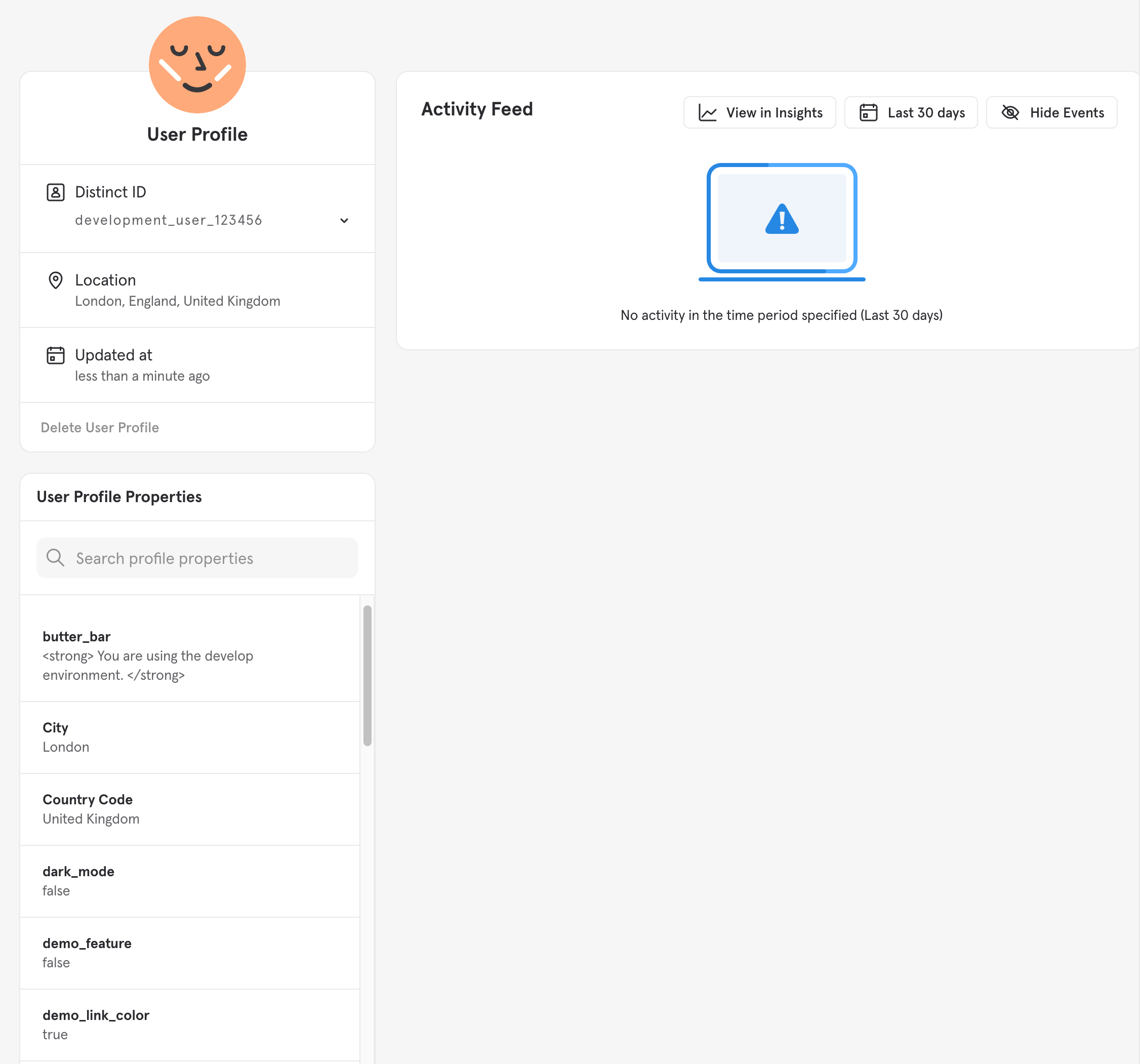
And then take a look in our Mixpanel dashboard, you can see the user and the flag data that has been sent to the Mixpanel platform.
Use Case
Once the integration has been set up, you can start segmenting your Mixpanel identities based on the flags that they saw. This means you can run AB tests driven by Flagsmith segments, and have the data show up automatically in Mixpanel.
Integration Notes
You have to identify users on both platforms in the same way. The Flagsmith Identity ID must be the same as the
Mixpanel identity.
How It Works Under The Hood
Every time an identity requests their flags from the Flagsmith API, Flagsmith will send a POST to
<base_url>/engage#profile-set (where <base_url> defaults to https://api.mixpanel.com) with the following JSON
payload:
{
 "$token": "<YOUR_MIXPANEL_PROJECT_TOKEN>",
 "$distinct_id": "<FLAGSMITH_IDENTITY_ID>",
 "$set": {
  "<FLAG_1_ID>": "<FLAG_1_STATE>",
  "<FLAG_2_ID>": "<FLAG_2_STATE>",
  "...": "..."
 }
}
Getting Mixpanel Cohorts into Flagsmith
If you want to control Flagsmith flags based on cohorts in Mixpanel, you will need to send cohort data from Mixpanel into Flagsmith. There is no way currently of automating this process from the Mixpanel side, but you can send cohort data from Mixpanel into Flagsmith, using Mixpanel Webhooks. The flow looks like this:
Identity cohort changes in Mixpanel -> Triggers Mixpanel Webhook -> Hits endpoint on your infrastructure -> You trigger a request to Flagsmith to set traits
This Webhook will be triggered by Mixpanel as identities/users enter or leave Mixpanel cohorts. We can use this trigger to copy the relevant data from Mixpanel into Flagsmith.
Set up a webhook that accepts Mixpanel cohort data as described here, then write the cohorts as traits within the relevant identities. You can send trait data either using our SDKs or with a REST query as defined in our SDK API docs.